Write Ableton Live extensions in Python.
A free, open-source Python SDK on top of Ableton's official Extensions SDK. Read and write the Live Set, add right-click menu actions, show dialogs — all from Python.
from ableton_extensions import Extension, MidiClip

app = Extension("My Tool")

@app.context_menu("MidiClip", "Humanize")
def humanize(clip: MidiClip):
    notes = clip.notes
    for n in notes:
        n.velocity = max(1, n.velocity + random.randint(-12, 12))
    clip.notes = notes      # right-click a MIDI clip in Live → "Humanize"

app.run()
What you get
The whole object model
Tracks, clips, notes, scenes, devices & parameters, racks, takes, cue points — 123 SDK methods, all wrapped and Pythonic.
Right-click actions
@app.context_menu adds entries to Live's context menus that run your Python function.
UI & transactions
Modal webview dialogs, progress bars, and one-undo-step transactions — straight from Python.
Ship one file
ableton-ext build bundles your extension into one universal .ablx (WebAssembly Python inside) that installs on any OS — no Python required.
How it works
Live's Extension Host runs JavaScript, not Python. This SDK bridges that gap with a tiny Bridge extension that opens a local WebSocket mirroring the SDK. Your Python code connects to it and drives Live.
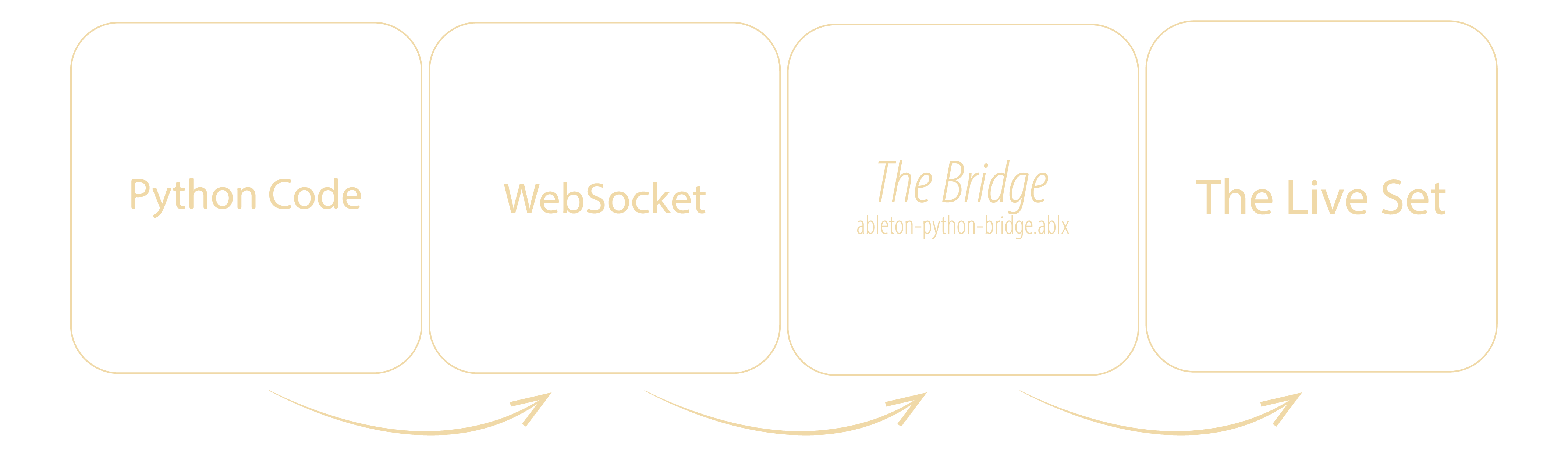
There are two ways to run:
| Mode | How | For |
|---|---|---|
| Dev loop | ableton-ext install-bridge once, then ableton-ext run my_ext.py | Writing & iterating fast |
| Standalone | ableton-ext build my_ext.py → a single .ablx | Shipping to other people |